Using Kewos day to day
This page is for the person who opens Kewos in the morning, not for the one who installs it nor the one who writes a module.
Where this documentation stops, and why
Kewos does not know what your company does. Your screens come from the modules installed for you, and an accounting firm, a library and a consultancy do not have the same ones.
So nobody here can tell you “click Validate invoice”. What this document can do, and does, is describe what never changes.
And a lot never changes, for a technical reason that works in your favour: the Kewos interface is a generic engine driven by the server. There is no hand-written screen per module, there is an engine rendering what the module declares. A list of invoices and a list of loans are filtered, sorted and exported exactly the same way. What you learn once holds everywhere, including in the modules your integrator will write next year.
What is left for your integrator to write: the business meaning. When to issue a credit note, who approves what, in which order. Nobody can write that for them, and that is normal.
Finding your module
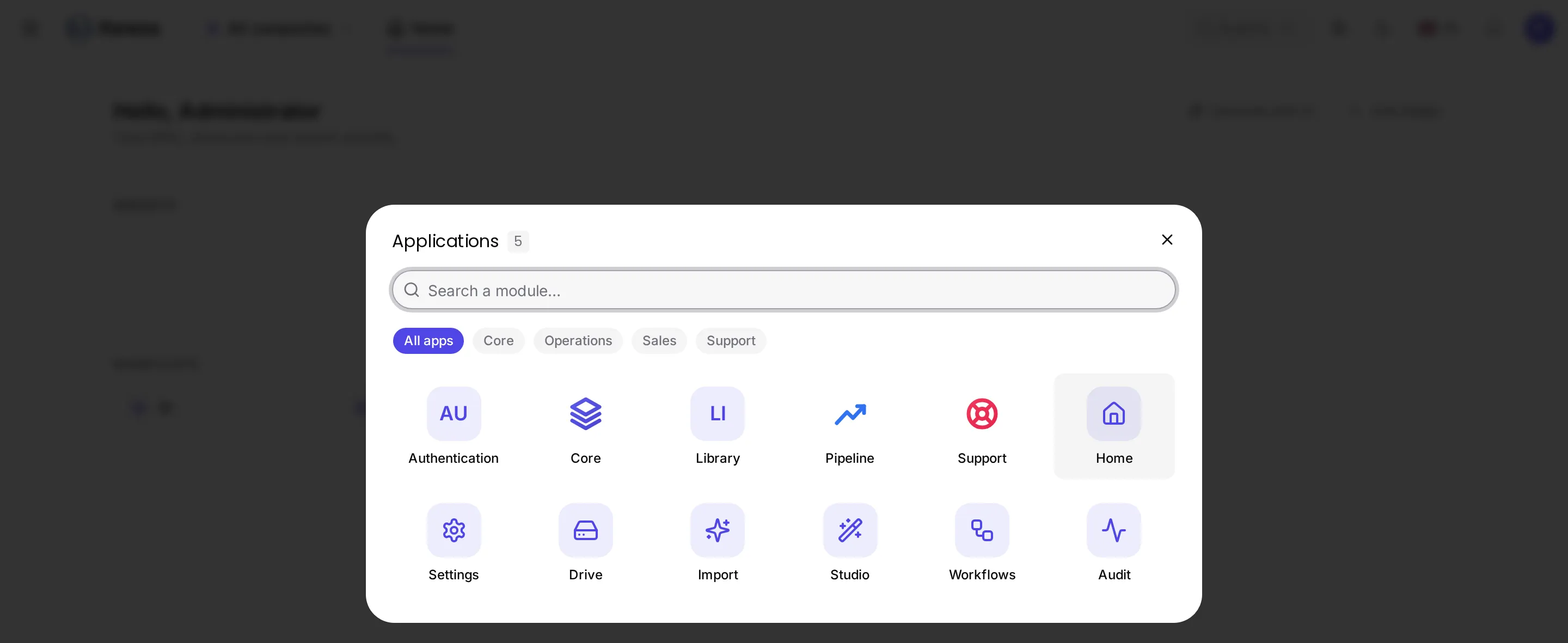
The launcher shows what you are entitled to. A missing module is not hidden by mistake: either it is not installed for you, or your permissions do not include it. Either way the answer is with your administrator, not in a menu to find.
A list, and everything it can do
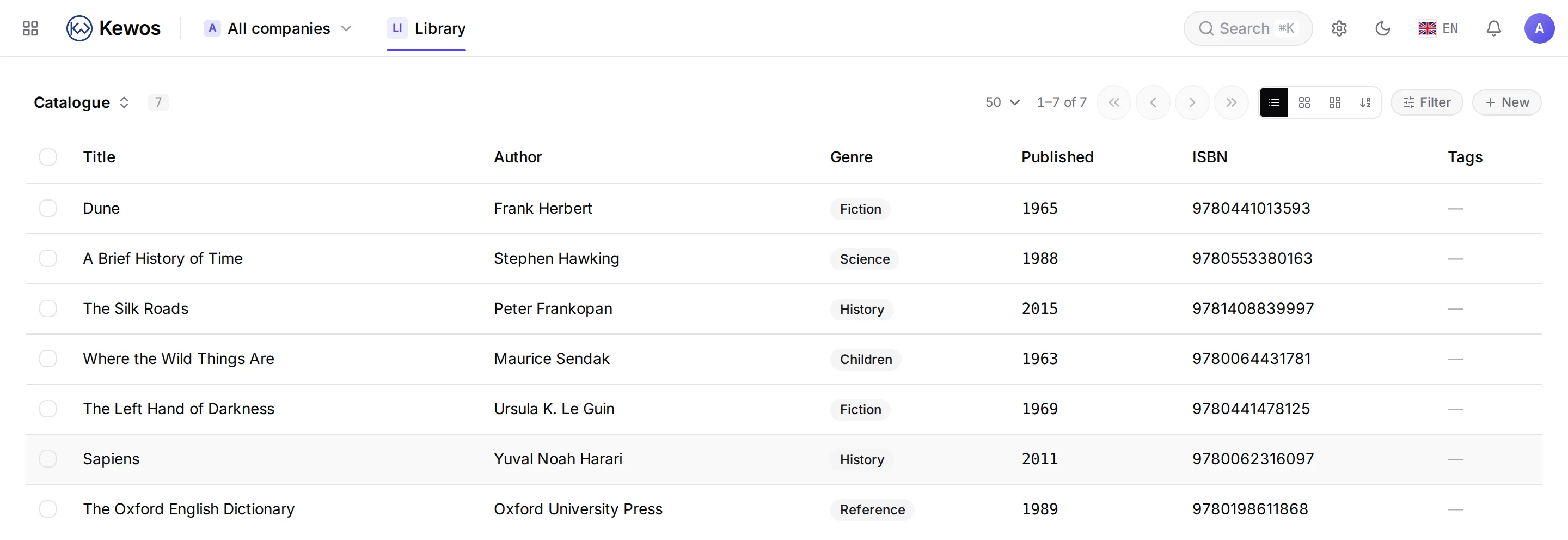
- Filter: filters work on the model’s columns. What you filter on screen is the same thing a program would filter through the API.
- Sort, paginate.
- Export: the same list comes out as CSV, Excel, JSON or XML, with your filters applied. The fields your company added come out too.
You only see what you are allowed to see. Two people can open the same list and not find the same number of rows: that is not a defect, it is permission filtering. If a total looks wrong, the first question is “am I seeing everything?”.
The same data, several ways to look at it
A list, a kanban board, a calendar, a timeline, a map, a gallery, a pivot table. These are not different screens: it is the same data presented differently, and the selector is at the top. Which kinds are available depends on what the module declared.
Searching everywhere
One search crosses the modules:
search: "dune" library_title -> Dune, Frank HerbertIt only searches what modules declared searchable, and it applies your permissions: a result you may not read does not come back.
A record
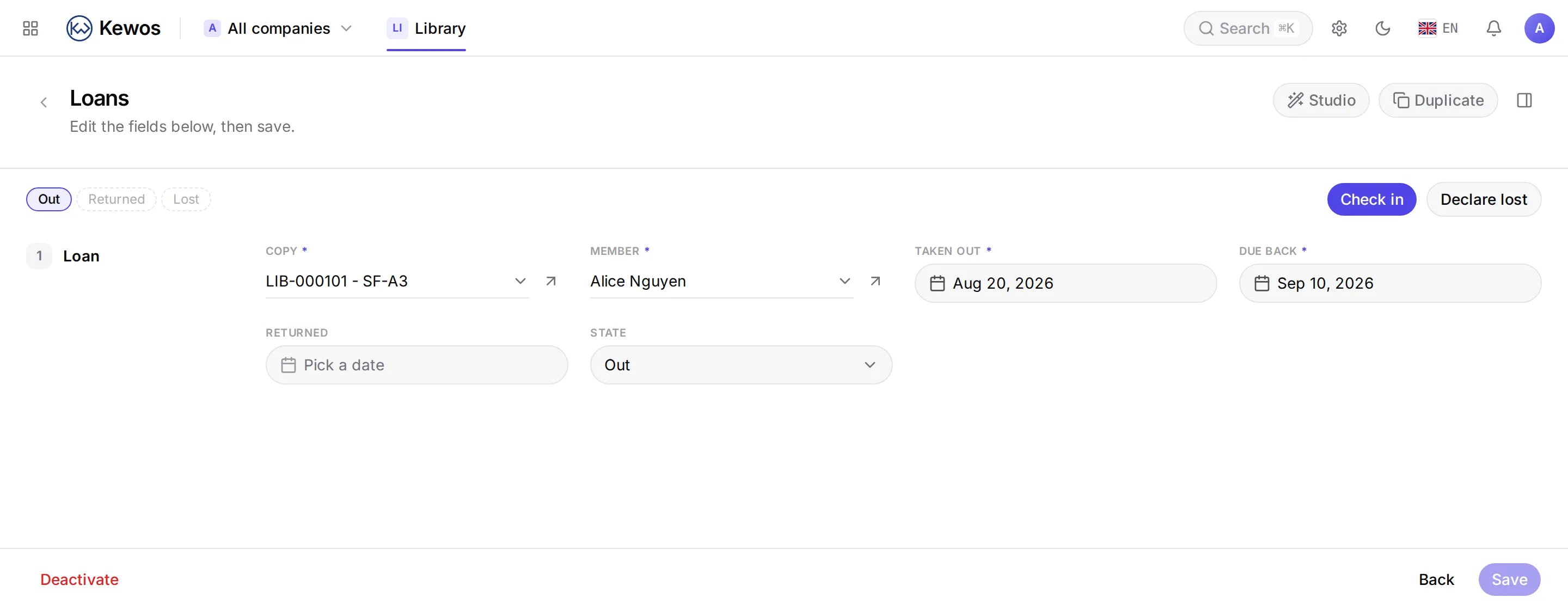
On a record, four things come up everywhere:
- The state buttons at the top: these are the transitions allowed from the current state and for your permissions. A missing button is not hidden: the transition is not permitted here.
- The counted buttons (“12 orders”): they lead to related records in another module. The number is computed for you, with your permissions.
- Comments and logged time, when the module enabled them.
- Attachments.
Deleting does not destroy
This is the point that reassures most, and it is rarely said. On the models concerned, deleting marks the record instead of erasing it. Measured:
DELETE a record -> 204read it back -> 404 (it is gone from the interface)the row in the database -> still there, marked deletedAn accidental deletion is therefore recoverable by your administrator. Permanent destruction exists, but it is a separate permission, and it is traced.
What tells you
A notification lands in your inbox, and if you left Kewos open it appears without reloading the page. On a phone it can become a real notification, if you opted in.
A notification arrives only if the action actually went through: an operation cancelled midway tells you nothing.
The first time
A well-made module greets you with a list of first steps and a guided tour that highlights places on screen. It comes from the module itself, so it knows what it is talking about, and it ticks itself off as you actually do things.